Sharing a collection
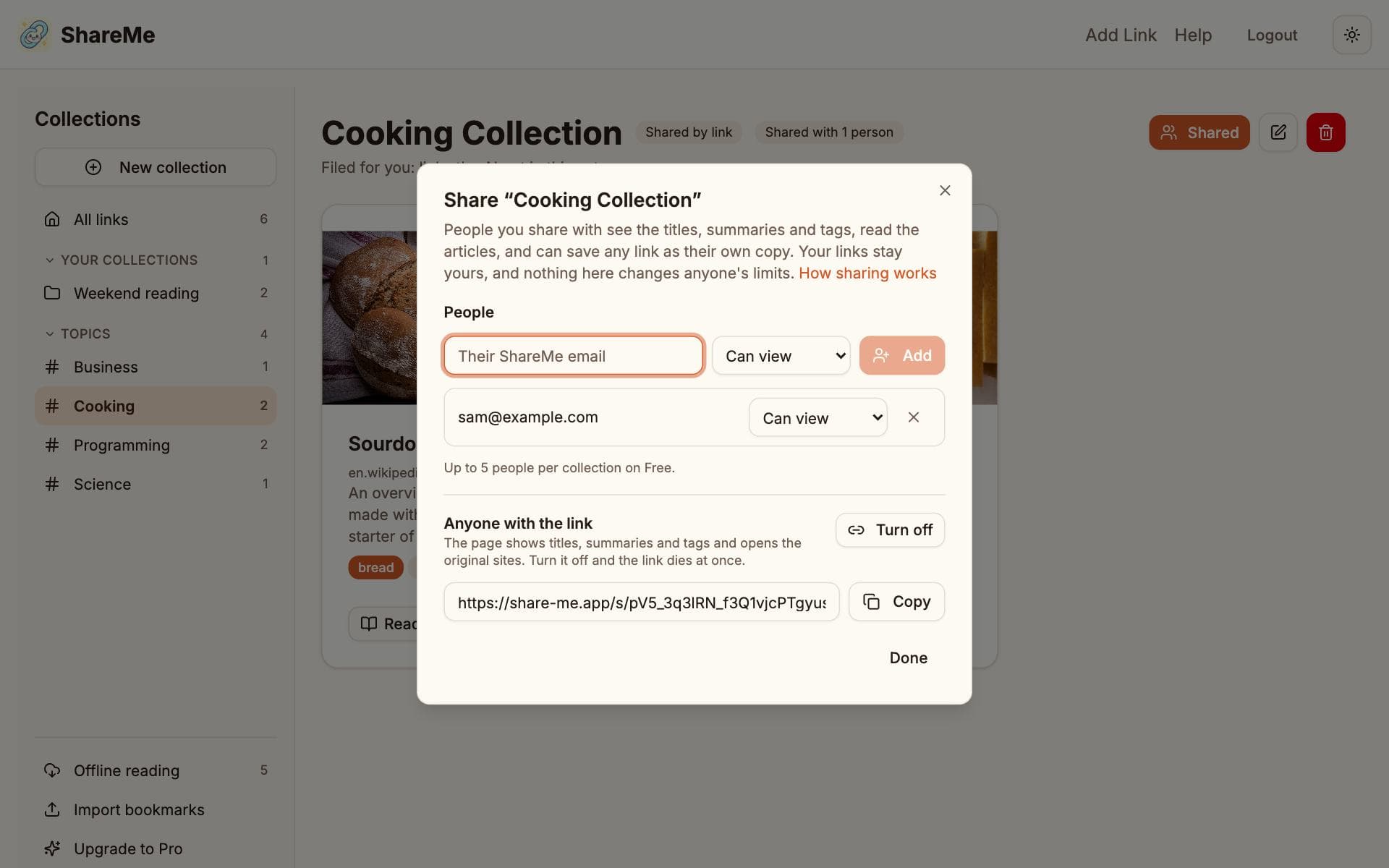
Any collection can be shared two ways, and the two combine: a private link anyone can open, and people who see it inside their own ShareMe.
Both start from the Share button at the top of a collection's page.
By link
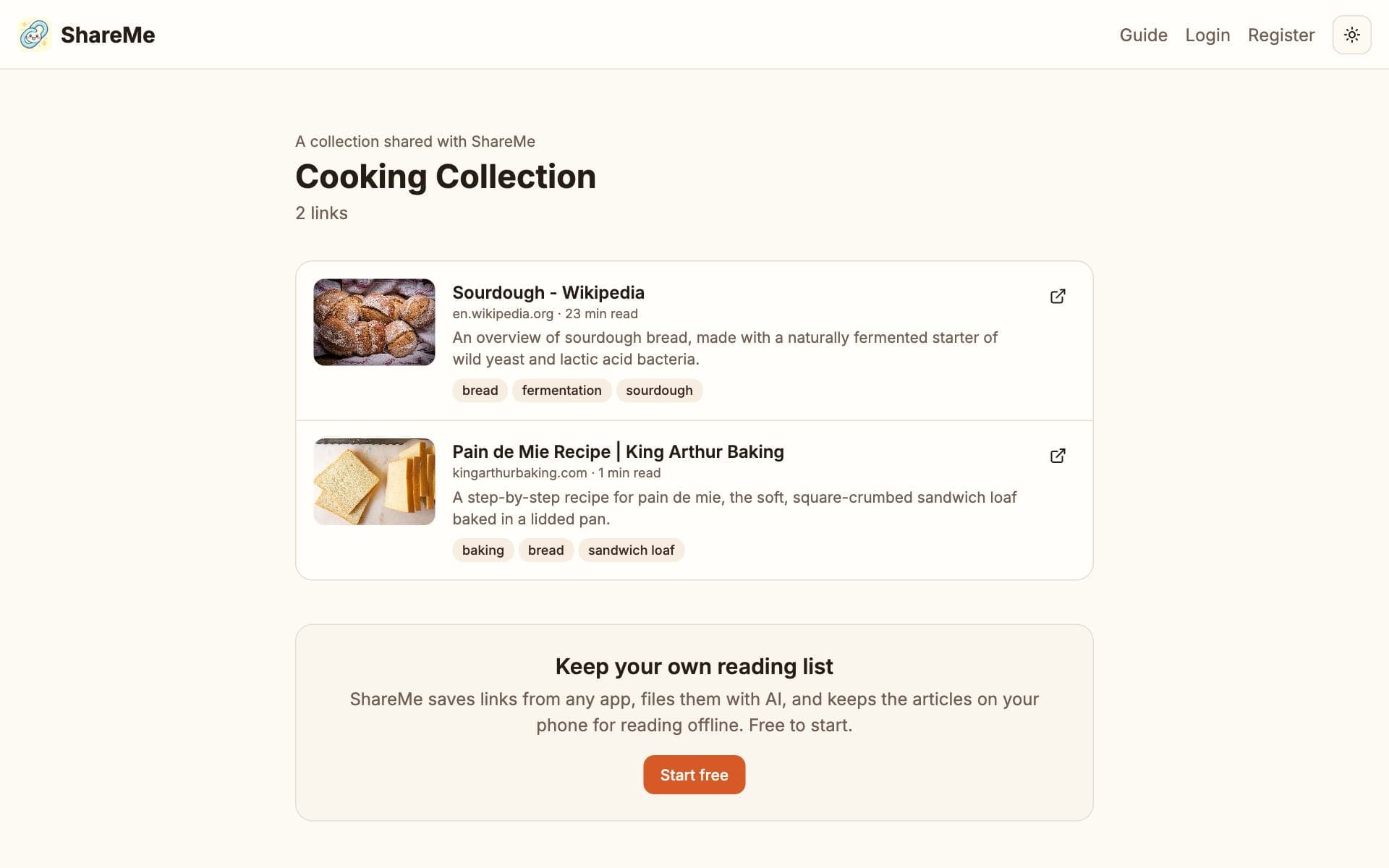
Share by link turns on a private address that looks like share-me.app/s/…. Anyone with it sees the collection's titles, summaries and tags and can open the original sites. They cannot see your reader copies or change anything, and search engines are asked not to index the page. New links you add show up on it by themselves; Turn off and the address stops working at once. Visitors who are signed in to ShareMe get a Save button on every link.
With people
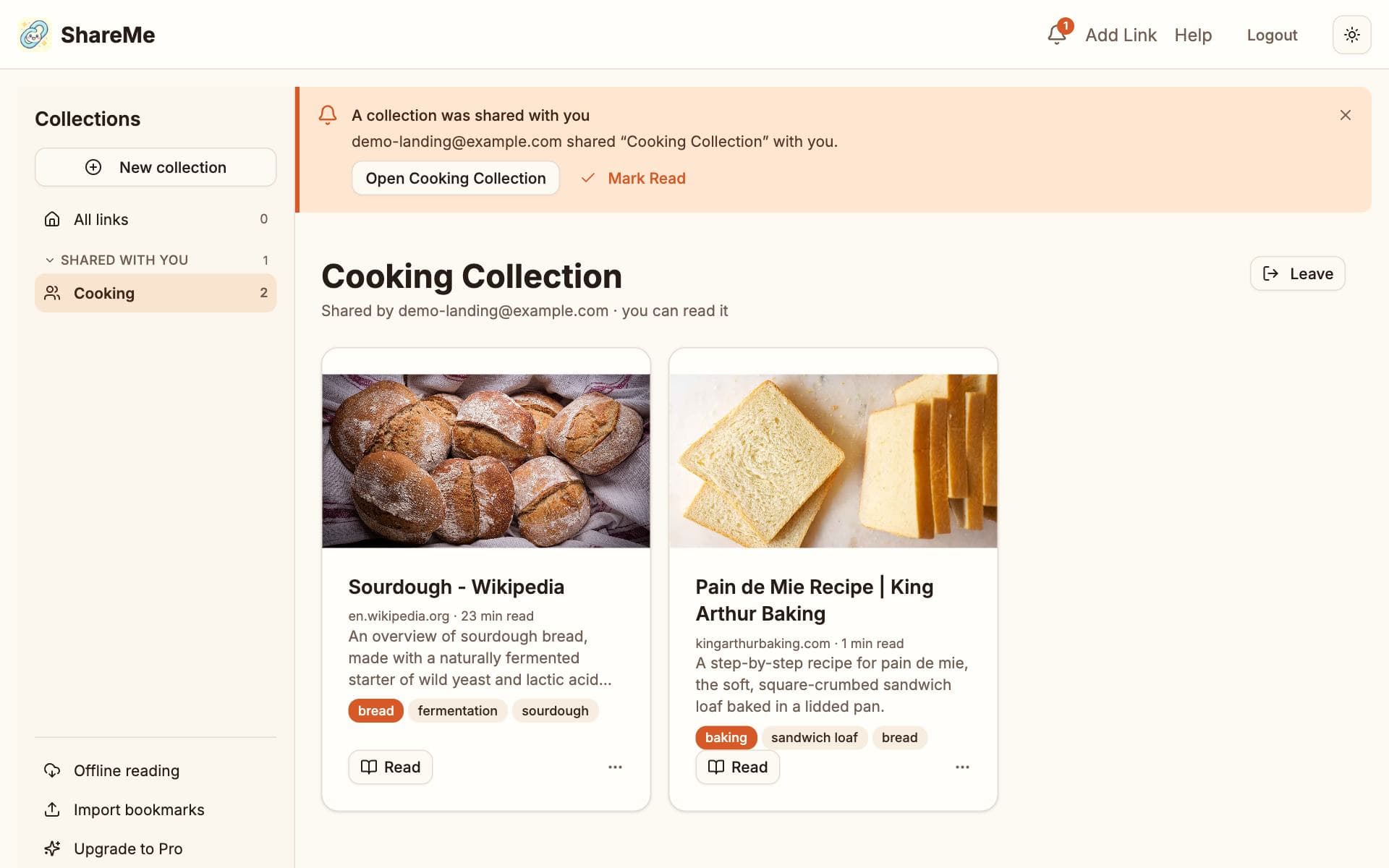
Add someone by the email address of their ShareMe account, as Can view or Can add links. They get an email and a notification, and the collection appears under Shared with you in their sidebar. Viewers read the articles and can save any link as their own. People who can add links also put their own links in, from the Add link button on the collection or from Add to collection on their own cards, and can take those out again. You can change anyone's role, remove people, and remove any link; they can leave at any time.
What stays yours
A link always belongs to the person who saved it. When someone saves a link from your collection, they get their own copy with the title, summary, tags and article carried over, it counts against their own limits, and the AI does not run again for anyone. Removing a person or turning the link off never touches anybody's saved links. People you share with see your email address and how many people the collection is shared with; they do not see each other's addresses.
Limits
- Free shares up to three collections at a time, by link or with people, each with up to five people.
- Pro shares as many collections as you like, each with up to fifty people.