Reading offline
The newest articles you saved stay on your device, so a flight or a tunnel does not stop you reading.
Which articles are kept
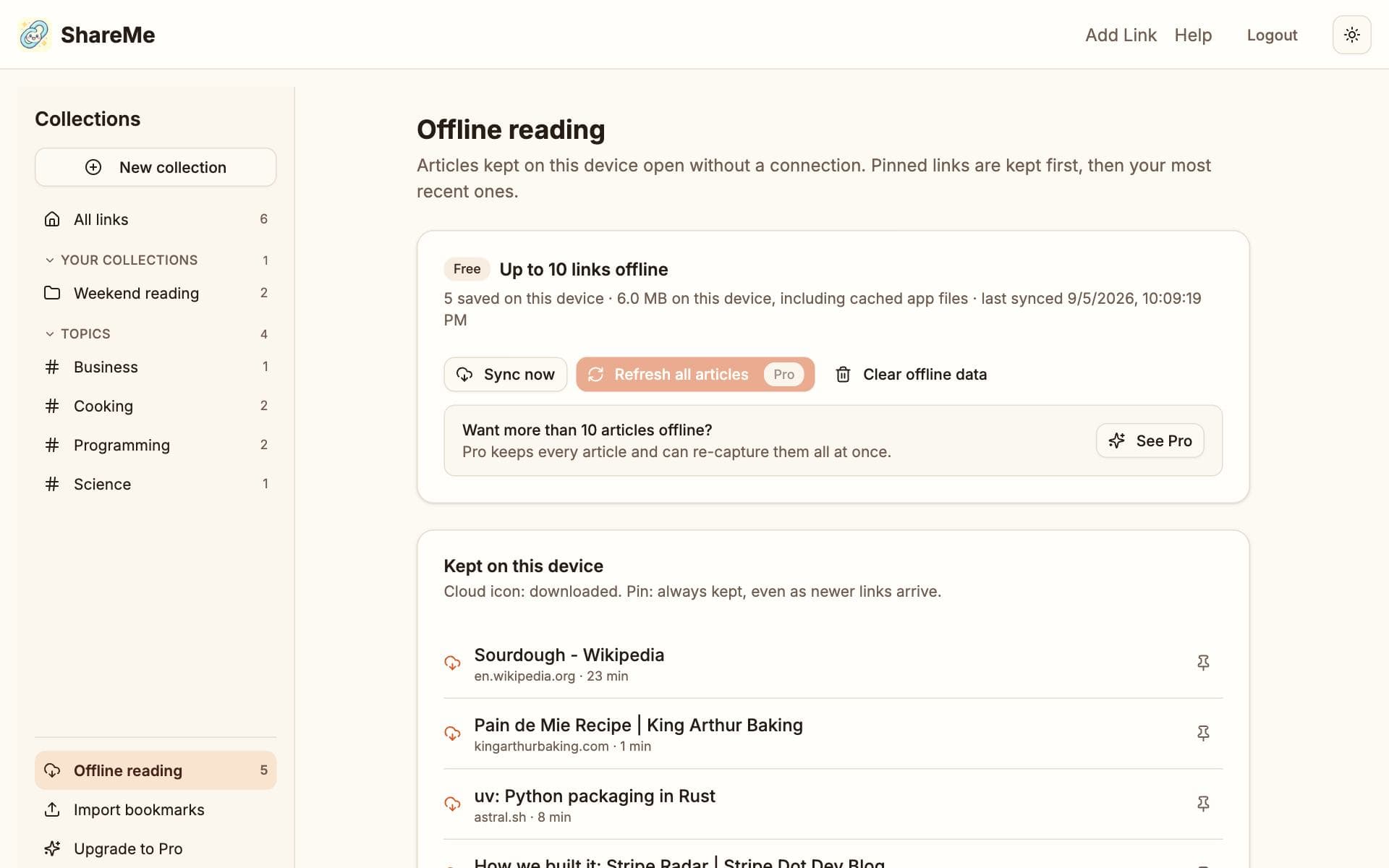
ShareMe fills the offline set automatically: links you pinned first, then your newest links that have a captured article, up to your plan's limit of ten on Free and unlimited on Pro. The pin icon on a card keeps that article on the device; unpin it to let the newest ones take the slot again.
Reading without a connection
Open ShareMe as usual. The dashboard shows the copy saved on this device with a note at the top, cards whose article is on the device show a small cloud icon on Read, and the reader opens the saved copy. Everything else waits until you are back online.
The Offline reading page
Offline reading in the sidebar lists what is stored on this device, lets you pin and unpin, shows the space used, and on Pro can refresh every article at once.
Copies live in the browser's storage on that device only, so each phone and computer keeps its own set, and clearing the browser's site data removes them. Installing ShareMe on the home screen is the most reliable way to keep them around.